Acer Aspire 3 A314-23P-R3QA review (2025): we test its Ryzen 5 performance, battery life, display & value. Find out if this budget laptop fits students, remote work & everyday use.
Introduction
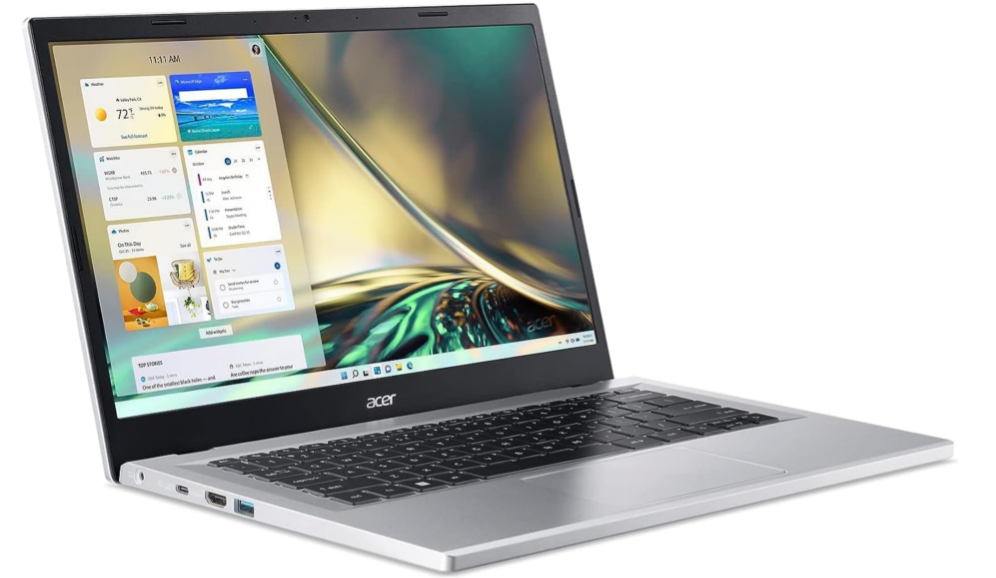
If you’re shopping for a capable budget laptop that covers daily tasks — web browsing, document editing, streaming — the Acer Aspire 3 A314-23P-R3QA is often on the radar. With a modern AMD Ryzen 5 chip, SSD storage, and lightweight build, it promises good value. In this review, we examine where it excels, where it compromises, and ultimately whether it’s a smart buy in 2025.
🔧 Key Specs at a Glance
| Component | Spec |
|---|---|
| CPU | AMD Ryzen 5 7520U (4 cores; 2.8-4.3 GHz) |
| GPU | Integrated AMD Radeon 610M |
| RAM | 8 GB DDR5 |
| Storage | NVMe SSD (e.g. 512 GB typical) |
| Display | 14.0-inch Full HD IPS, 1920×1080, 60Hz, non-glossy |
| Ports & Connectivity | 2x USB-A, 1x USB-C, HDMI out; WiFi 6, Bluetooth 5.2 |
| Weight & Size | ~1.40 kg; dimensions ~328×217×18.9 mm |
| Battery | 40 Wh, 3-cell |
| Build | Chiclet keyboard, no backlit keyboard in base version; webcam HD 720p |
✔ What It Does Well
- Good everyday performance
The Ryzen 5 7520U delivers smooth experience for common tasks: web browsing, productivity apps (Office, Google Docs), video streaming. It’s snappy thanks to SSD and DDR5 memory. - Light & portable
At ~1.4 kg and modest thickness (~18.9 mm), it’s easy to carry — a plus for students, commuters or anyone needing portability. - Modern connectivity
USB-C, USB-A, HDMI, WiFi 6 — good spread of ports and wireless modern standards ensure compatibility with peripherals and good wireless performance. - Value for money
Considering what you’re getting versus price (budget-category), the Aspire 3 offers solid hardware; for many users, its compromises are tolerable given the savings.
⚠ Where It Falls Short
- Display quality is a downside
Reviewers note that contrast and viewing angles are weak, especially off-axis. Colours aren’t vibrant, and outdoors visibility suffers. - Limited battery capacity
The 40 Wh battery suffices for light day-use but under heavier load or sustained use (lots of browser tabs, video streaming) it drains more quickly. - Basic keyboard & no backlight (in many units)
Typing comfort is decent, but lack of keyboard backlight can be a drawback in dim lighting. - Not for demanding tasks
Integrated graphics and the modest CPU mean this laptop is not ideal for heavy video editing, 3D gaming, or other resource-intensive workloads.
🔋 Battery & Display Experience
- For lighter tasks (web, office, streaming), expect maybe 5-7 hours depending on settings and brightness. Using high brightness or multitasking heavily will reduce that.
- Display is fine indoors; anti-glare / non-glossy helps reduce reflections, but brightness and contrast limit its comfort outdoors.
🎯 Who Should Buy This Laptop?
- Students who mostly do writing, browsing, light media consumption.
- Remote workers whose tasks are not graphics-heavy.
- Anyone needing a light, affordable secondary laptop.
- Users on a budget who prefer portability and modern features over premium display / gaming performance.
💡 Alternatives & Considerations
- If you want better display (brightness, contrast), you might spend a bit more for a laptop with IPS/ high refresh/ better colour accuracy.
- If battery life is crucial, look for models with larger battery (50-60 Wh) or that advertise long battery life.
- Upgrading RAM (if possible) helps for multitasking, though with this model 8GB may be soldered.
🏁 Verdict
The Acer Aspire 3 A314-23P-R3QA is a solid pick for its price: a capable workhorse for typical everyday tasks. It won’t wow you with display brilliance or handle hardcore workload, but for what it aims to do, it performs admirably. If you’re after a no-frills, affordable laptop that gets work done, this could be a smart buy. For more demanding needs, you might stretch the budget for models with stronger displays and graphics.
Acticles From” https://www.batteryer.nz/blog